DNS_PROBE_FINISHED_NXDOMAIN: When Your Two Nameservers Disagree
A site that loaded on some devices and died on others. It wasn't propagation, it wasn't a registrar hold — it was two authoritative nameservers quietly serving different versions of the same zone. Here's how to catch it with dig.
A client's site was down. Or rather — it was down for some people. It loaded fine on the office Wi-Fi, threw DNS_PROBE_FINISHED_NXDOMAIN on a phone two feet away, then loaded again an hour later as if nothing had happened. No deploy had gone out. No DNS record had been touched in months. By every reasonable account, nothing had changed.
That "nothing changed, but it's intermittently broken" shape is the most expensive kind of bug, because it lies to you. Every time you check, you get a different answer, and each answer suggests a different culprit. This is the story of chasing it down to the actual root cause — and the dig commands that finally made it confess.
The symptom, and why it's a trap
DNS_PROBE_FINISHED_NXDOMAIN means the browser asked "what IP is this domain?" and got back, definitively, "this domain does not exist." Not "timed out," not "connection refused" — NXDOMAIN is a positive assertion of non-existence.
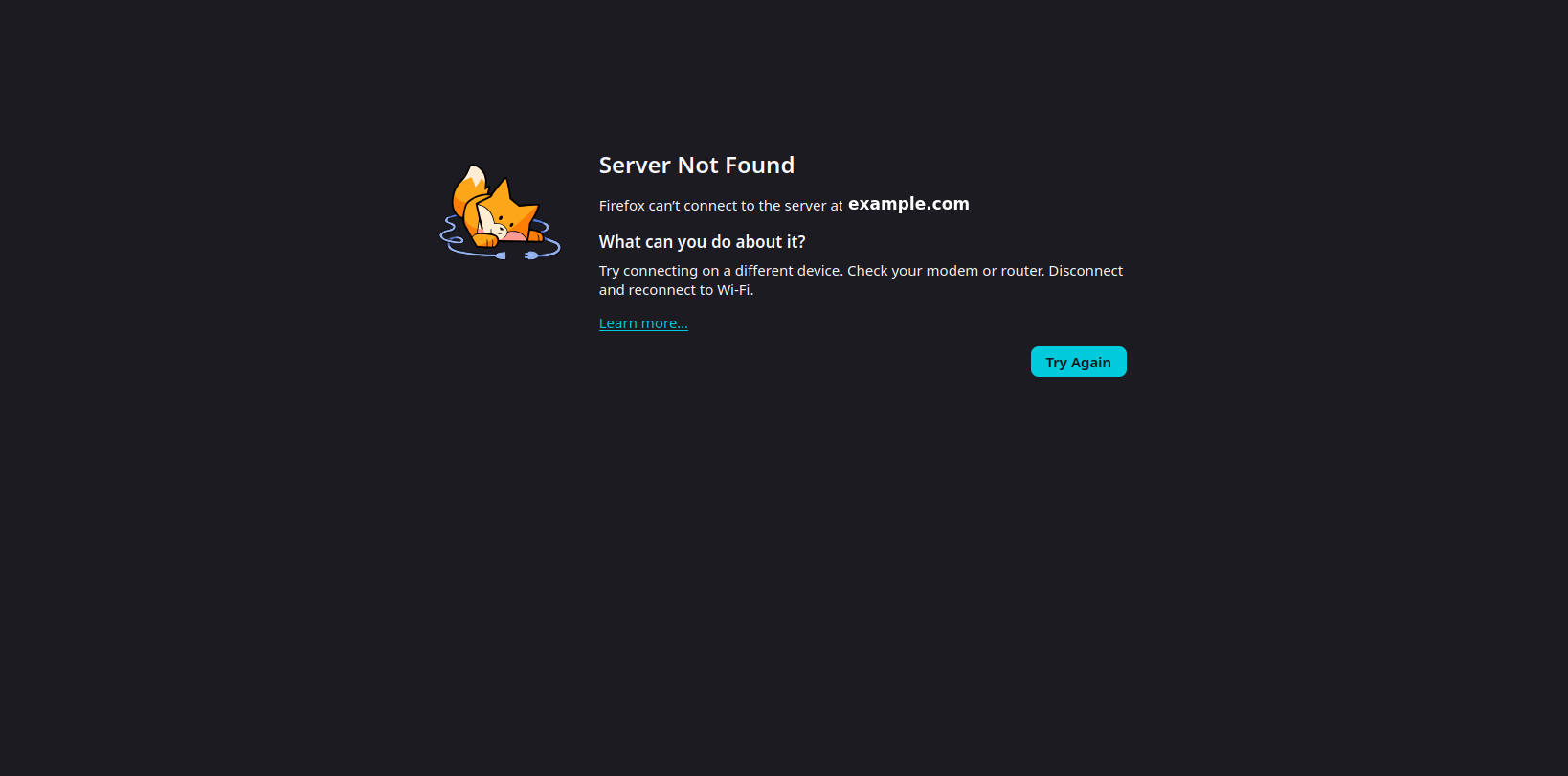
The trap is that the error is intermittent and device-dependent. That pattern nudges you toward three comfortable, wrong theories:
- "It's just propagation." Something changed and the internet hasn't caught up yet.
- "There's a registrar hold." The domain got suspended or parked.
- "It's the upstream / the landlord." Some third party in the chain is misconfigured.
All three are plausible. All three were wrong. The reason they're seductive is that they explain why it's broken without explaining why it's broken inconsistently. Hold onto that inconsistency — it's the whole case.

Ruling things out
First, kill the easy theories with evidence instead of vibes.
Propagation? Propagation is a one-way street. You make a change, and over minutes-to-hours every resolver converges on the new answer. It does not flap back and forth, and it does not apply to a record that hasn't changed in months. A value that's correct, then missing, then correct again is the opposite of propagation.
Registrar hold? A quick WHOIS check showed no clientHold, no serverHold, status ok. The domain was registered, paid, and active. Not it.
The apex vs. www split. Here's the first real clue. The site's setup was conventional:
apex (example.com)   →  the primary domain visitors land on
www.example.com      →  CNAME → the static host
The static host was configured with the apex as its primary domain, so www issued a 301 redirect to the bare apex. Standard. But the apex itself needs a working DNS record for that to mean anything — and when I queried it, sometimes there was nothing there. Every visitor was being funneled to the apex, and the apex was intermittently answering "I don't exist."
So the question sharpened from "why is the site down?" to "why does the apex record exist sometimes and not others?"
Asking each nameserver directly
Public resolvers (the 8.8.8.8s and 1.1.1.1s of the world) cache aggressively, so they're noisy witnesses. To get the truth, you have to skip the middlemen and interrogate the authoritative nameservers for the zone directly — and crucially, each one separately.
Find the nameservers, then ask each one the same question:
# Who is authoritative for the zone?
dig example.com NS +short

# Ask each authoritative server for the apex A record, by name
dig example.com A @ns1.registrar-dns.com +short
dig example.com A @ns2.registrar-dns.com +short
That's where it cracked open. The two nameservers did not agree:
| Source | Apex A record |
Verdict |
|---|---|---|
ns1 (authoritative) |
<correct IP> |
✅ serving the record |
ns2 (authoritative) |
(empty) | ❌ no record at apex |
Google 8.8.8.8 |
sometimes set, sometimes empty | 🎲 depends who it asked |
Cloudflare 1.1.1.1 |
sometimes set, sometimes empty | 🎲 depends who it asked |
One authoritative server had the record. The other did not. They are supposed to be identical mirrors of the same zone. They were not.
The smoking gun: the SOA serial
To confirm it wasn't a fluke, look at the SOA record — the "Start of Authority" record that sits at the top of every zone and carries a serial number. Think of the serial as a version number for the zone: every time you publish a change, it's supposed to increment, and secondary nameservers use it to know "there's a newer version, pull it down."
Ask each nameserver for its serial:
dig example.com SOA @ns1.registrar-dns.com +short
dig example.com SOA @ns2.registrar-dns.com +short
ns1  →  ... 126060104 ...   # newer zone — has the apex record
ns2  →  ... 125091201 ...   # older zone — missing it
Two different serials, on two servers that are supposed to be in lockstep. Decode them as the dates they encode (YYYYMMDDnn) and it's even starker: one server was on a copy from today, the other was frozen on a copy from nine months ago. The secondary had simply stopped pulling updates from the primary and nobody noticed — because half the lookups still hit the good server and worked fine.
This is a zone replication failure (sometimes called split-brain or split-authority): your authoritative servers are serving divergent data.
Why this explains everything
Every resolver, when it looks up your domain, picks one of your authoritative nameservers — and it's free to pick either. So:
- Land on
ns1→ get the IP → site loads. - Land on
ns2→ get the stale zone with no apex record → NXDOMAIN, and that "doesn't exist" gets cached for up to the negative-cache TTL (often an hour).
That single fact resolves the entire mystery:
- Why it worked on one device and failed on another — different devices, different resolvers, different nameservers.
- Why it "fixed itself" then broke again — that wasn't healing. Your own lookups were bouncing between
ns1andns2. - Why you didn't change anything — you didn't. The secondary silently stopped replicating. This is infrastructure failing underneath correct configuration.
The most important takeaway: the records in the dashboard were correct the whole time. You can stare at a perfect control panel for hours and never see this, because the bug isn't in your records — it's in whether the provider is serving them consistently.
The fix
There are three plays here — the one everyone tells you, the emergency patch, and the durable fix.
Wait it out (the cliché that, this once, actually worked). Every DNS dashboard says some version of "changes can take 24–48 hours to take effect," and "just wait for propagation" is the stock answer support hands you before anyone looks at anything. Usually it's a dodge: real propagation settles in minutes to an hour, so if something's still broken the next morning, waiting longer rarely helps — you're sitting on a misconfiguration, not a slow clock. This case was the exception. This particular registrar has a reputation — and you'll find no shortage of forum threads saying so — for unusually sluggish propagation and replication, and sure enough the zone eventually converged on its own: the stale secondary finally pulled the current copy and every resolver lined up, inside (the far end of) that 24–48 hour window. It's the longest we've ever watched this take, and it did, eventually, come back without us forcing anything.
The honest read: "wait" is a legitimate fallback, but it's a gamble, not a strategy — you're living with a half-dead site for up to two days and betting the provider's plumbing heals itself. Fine as a last resort, or as the thing that quietly fixes it while you pursue a real fix in parallel. Not something to rely on. Which is exactly why the next two options exist.
Force a re-sync (emergency). The immediate problem is one stale secondary. The provider needs to force a zone transfer so ns2 pulls the current zone from ns1. If you're on managed/registrar DNS, that's a support request — and a precise one beats a vague one:
Your two authoritative nameservers are serving different SOA serials for my domain.
ns1is on serial 126060104 with my apexArecord;ns2is on 125091201 and is missing it. The secondary isn't replicating from the primary — please force a zone transfer.
That sentence names the exact failure and skips three rounds of "have you tried re-saving the record?"
Move to DNS that can't do this (durable). If your provider's nameservers can silently desync for nine months, that's the real liability. Migrating the zone to a provider whose anycast nameservers stay consistent removes this entire failure class. When you do, copy every record first — not just the web ones. The apex and www, yes, but also your MX records and any mail-auth CNAMEs (SPF/DKIM senders), or you'll fix the website and knock out email in the same move.
The lessons worth keeping
- Intermittent + device-dependent = suspect inconsistency, not state. When a thing is broken for some observers, stop asking "what's wrong with the value" and start asking "are all the sources giving the same value."
- Query authoritative servers individually.
dig @each-nameserveris the move public resolvers hide from you. Disagreement between authoritative servers is invisible from a normal lookup. - The SOA serial is your version stamp. Mismatched serials across nameservers is a five-second test that proves replication failure cold.
- A correct dashboard is not a working zone. Configuration and delivery are different layers. Verify what the servers actually serve, not what the UI shows.
- "Wait 24–48 hours" is usually a dodge — occasionally it's the truth. Real propagation is minutes, not days; if it's still broken tomorrow, you almost certainly have a misconfiguration, not a slow clock. But a known-sluggish provider can genuinely take the full window to converge. Let waiting run in the background — never let it replace the diagnosis.
NXDOMAIN says "this does not exist." Sometimes it means exactly that. And sometimes it means "one of your two nameservers forgot it nine months ago, and you've been rolling dice on every page load since."
If your site is mysteriously up-for-some, down-for-others, we untangle exactly this kind of thing.